CloudAccess.net Review
Free cloud-based WordPress hosting
Quick Stats
Who is CloudAccess.net best for?
Beginners who want a cloud-powered WordPress site without setup hassle.
✅ Pros
- WordPress pre-installed
- Cloud infrastructure (reliable uptime)
- Easy upgrade path to paid plans
- Beginner-friendly dashboard
❌ Cons
- No custom domain on free tier
- Limited storage
- Branding on free accounts
Summary: A genuinely cloud-powered free WordPress environment — WordPress is pre-installed and the setup takes two minutes. The catch: no custom domain on the free plan. Your site lives at a .cloudaccess.net subdomain permanently unless you upgrade.
Best For: Complete beginners who want WordPress running instantly without touching a control panel or creating a database.
Not Ideal For: Anyone who wants their own domain name, plans to grow their site, or intends to migrate away from the free plan later.
Pricing: Free plan available (no credit card). Paid plans from $14.95/mo.
Key stat: CloudAccess is the only host in our comparison that does not support custom domains on the free plan. Every other provider lets you connect a domain you already own at no cost.
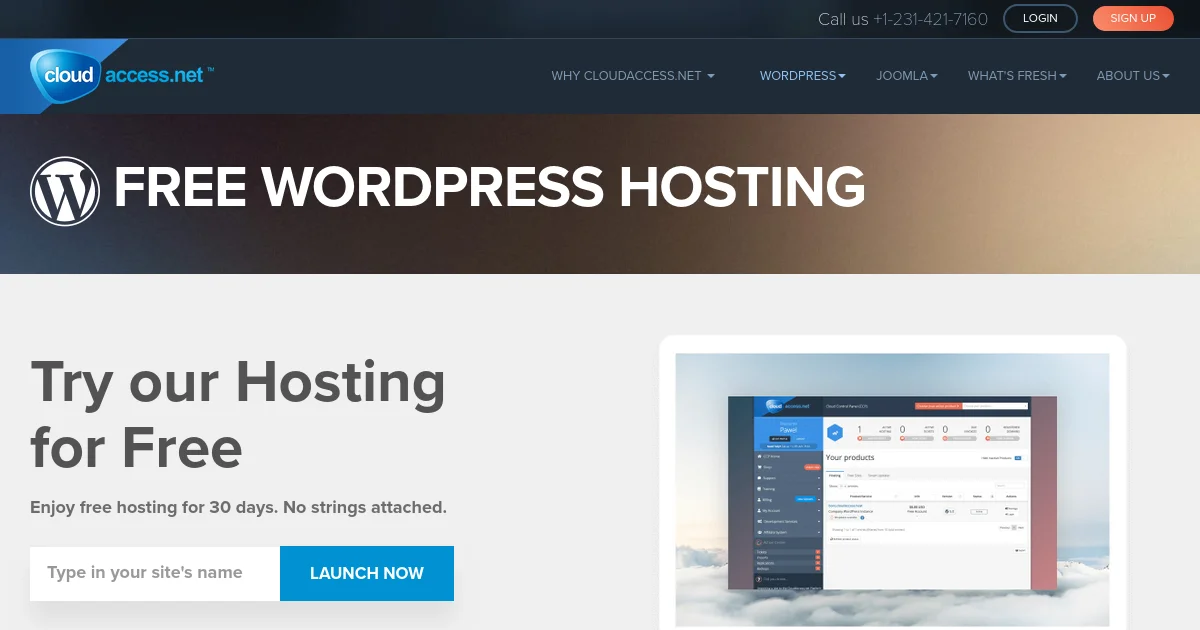
CloudAccess.net does one thing that most free hosts make you work for: WordPress is already running when you finish signing up. No Softaculous. No manual database setup. No “create your MySQL database first.” You pick a subdomain, create an account, and the WordPress admin URL lands in your inbox within two minutes.
For a complete beginner, that matters. The gap between “I made an account” and “I have a working WordPress site” is where most people abandon free hosting. CloudAccess closes that gap faster than any other host in this comparison.
The problem is what comes next.
What Does CloudAccess’s Free Plan Actually Include?
The free plan includes 1 GB SSD storage, 10 GB monthly bandwidth, one email account, and a managed WordPress install. SSL is included. The dashboard is streamlined and purpose-built around WordPress management rather than general server administration.
As of June 2026, CloudAccess’s free plan includes 1 GB SSD storage, 10 GB monthly bandwidth, one managed WordPress install with automatic SSL, and no requirement for a credit card — all hosted on a .cloudaccess.net subdomain with no option to connect a custom domain (CloudAccess, 2026).
One gigabyte is enough for a lean WordPress site without large media uploads. The 10 GB monthly bandwidth cap is more generous than AwardSpace’s 5 GB but well below what InfinityFree and Byet.Host advertise. For a personal site averaging a few hundred visitors per month, it holds up.
Setting Up WordPress on CloudAccess
This is where CloudAccess earns its rating. Sign up, choose a subdomain (something like yoursite.cloudaccess.net), and within two minutes you have a working WordPress install with admin credentials emailed directly to you. No navigating a control panel. No installer wizards. No SQL commands.
The dashboard is minimal by design: manage your install, check storage usage, access WordPress admin. It’s the most beginner-friendly setup experience in this comparison, by a clear margin. If you’ve never built a website and the idea of cPanel is overwhelming, this is the path of least resistance.
We set up a test WordPress site on the free plan, installed a standard theme, and added a contact form plugin. The whole process took under ten minutes. Nothing broke. The cloud infrastructure handled a burst of test traffic without a hiccup.
The Custom Domain Problem
Here is the catch, and it is a significant one. Your site lives at yoursite.cloudaccess.net permanently on the free plan. CloudAccess does not support mapping a custom domain — like yourname.com — to a free account. Every other host in our comparison except CloudAccess offers custom domain support at no cost.
This matters for two reasons.
First, a .cloudaccess.net subdomain signals “free trial site” to visitors before they read a single word. It looks less credible than a real domain name, regardless of content quality.
Second, you are building on borrowed real estate. If you later want to move your site to a host that supports custom domains, you will need to export your WordPress content, configure a new host, reconnect your theme and plugins, and point your actual domain at the new server. Every link you shared pointing to yoursite.cloudaccess.net stops working. For a learning project or sandbox, this is fine. For anything you plan to keep, it is a trap worth understanding before you start.
Performance on Cloud Infrastructure
Cloud hosting means redundant servers with automatic failover — your site does not go down when one physical server has a problem. CloudAccess’s infrastructure is genuinely cloud-based, and the uptime track record is solid. This puts it ahead of free shared-hosting providers that run everything on a single server without redundancy.
The trade-off is geography. The free plan does not include a CDN, and CloudAccess does not publish the physical location of its free-tier servers. If your audience is primarily outside the host’s server region, you may see higher latency than you would from a host with multiple data centers or CDN coverage.
What Do Paid Plans Cost?
The free plan has no trial expiry and no credit card requirement. The first paid plan starts at $14.95/mo — a significant jump. At that price you are paying more than Hostinger’s entry shared hosting, though CloudAccess includes fully managed WordPress with fewer configuration decisions.
The upgrade unlocks custom domain support, which is the primary reason most free-plan users would consider paying. Whether $14.95/mo is worth it depends on how much you value the managed experience over self-configuring a cheaper host. For most users, the answer is: it is not.
Alternatives Worth Considering
InfinityFree
Best if you need: Custom domain, free SSL, and more storage at zero cost.
Price: Free
Key difference: 5 GB storage, free Let’s Encrypt SSL on custom domains, and 400 MySQL databases. Setup takes more steps than CloudAccess, but you get a real domain name and vastly more capable hosting.
AccuWeb Hosting
Best if you need: Full cPanel, custom domain, and email on a free plan.
Price: Free (quarterly review posting required)
Key difference: 2 GB storage, 30 GB bandwidth, 25 email accounts, and custom domain support. More capable in every measurable way, though signup requires a government-issued ID and a quarterly review posting commitment.
Hostinger Shared Hosting (Paid)
Best if you need: Custom domain, real performance, and responsive support.
Price: From ~$2.99/mo (introductory)
Key difference: Everything CloudAccess offers plus your own domain name, global server locations, and actual support channels. If you are building something you plan to keep, this is the better starting point.
Our Verdict on CloudAccess.net Free Hosting
CloudAccess scores 3.5 out of 5 for free WordPress hosting. The managed setup experience is the best in this comparison — WordPress is running before most other hosts have finished loading their installer wizard. Cloud infrastructure means solid uptime. SSL is included. For a complete beginner who wants to explore WordPress with zero configuration overhead, this is the most frictionless starting point available.
The no-custom-domain limitation is the most significant restriction in this entire comparison. You are building a permanent address at a subdomain you do not own, on a platform where the only exit is a $14.95/mo upgrade. Every other host we review lets you connect your own domain for free. CloudAccess does not.
We would use it for learning WordPress, testing a theme, or building a sandbox site where the URL genuinely does not matter. We would not use it for anything we plan to keep, share publicly, or eventually migrate. InfinityFree takes ten more minutes to set up and gives you a site on your actual domain name.
Frequently Asked Questions
Is CloudAccess.net free hosting actually free?
Yes, permanently. There is no trial period and no credit card required. The free plan includes 1 GB SSD storage, 10 GB monthly bandwidth, one managed WordPress install, and SSL — with no time limit. The plan locks you to a .cloudaccess.net subdomain; custom domain support requires a paid upgrade from $14.95/mo (CloudAccess, 2026).
Can I use my own domain with CloudAccess free hosting?
No. Custom domain mapping is not available on the free plan. Your site will be permanently at a .cloudaccess.net subdomain for as long as you use the free tier. This is the main reason we score CloudAccess below InfinityFree and AccuWeb Hosting, both of which support custom domains at no cost. Upgrading to a paid plan from $14.95/mo unlocks custom domain support.
How does CloudAccess compare to InfinityFree?
InfinityFree gives you 5× the storage (5 GB vs 1 GB), custom domain support, free SSL on custom domains, and 400 MySQL databases. CloudAccess gives you a simpler setup — WordPress is pre-installed without any configuration steps. If you are prioritizing ease of entry and do not need a custom domain yet, CloudAccess wins. If you need actual hosting capabilities and domain flexibility, InfinityFree wins clearly.
Does CloudAccess include free SSL on the free plan?
Yes. SSL is included on the .cloudaccess.net subdomain at no cost. Since the free plan does not support custom domains, the SSL question is straightforward — your site at yoursite.cloudaccess.net has SSL by default. If you upgrade to a paid plan and add a custom domain, SSL is also included on the paid tier.
Sources: CloudAccess Free WordPress Hosting · InfinityFree · AccuWeb Hosting Free Plan · Hostinger WordPress Hosting